
Download Type Knight – typing game, haunted cemetery, dynamic weather, original soundtrack, custom game modes, stat tracking, typing battles
Overview
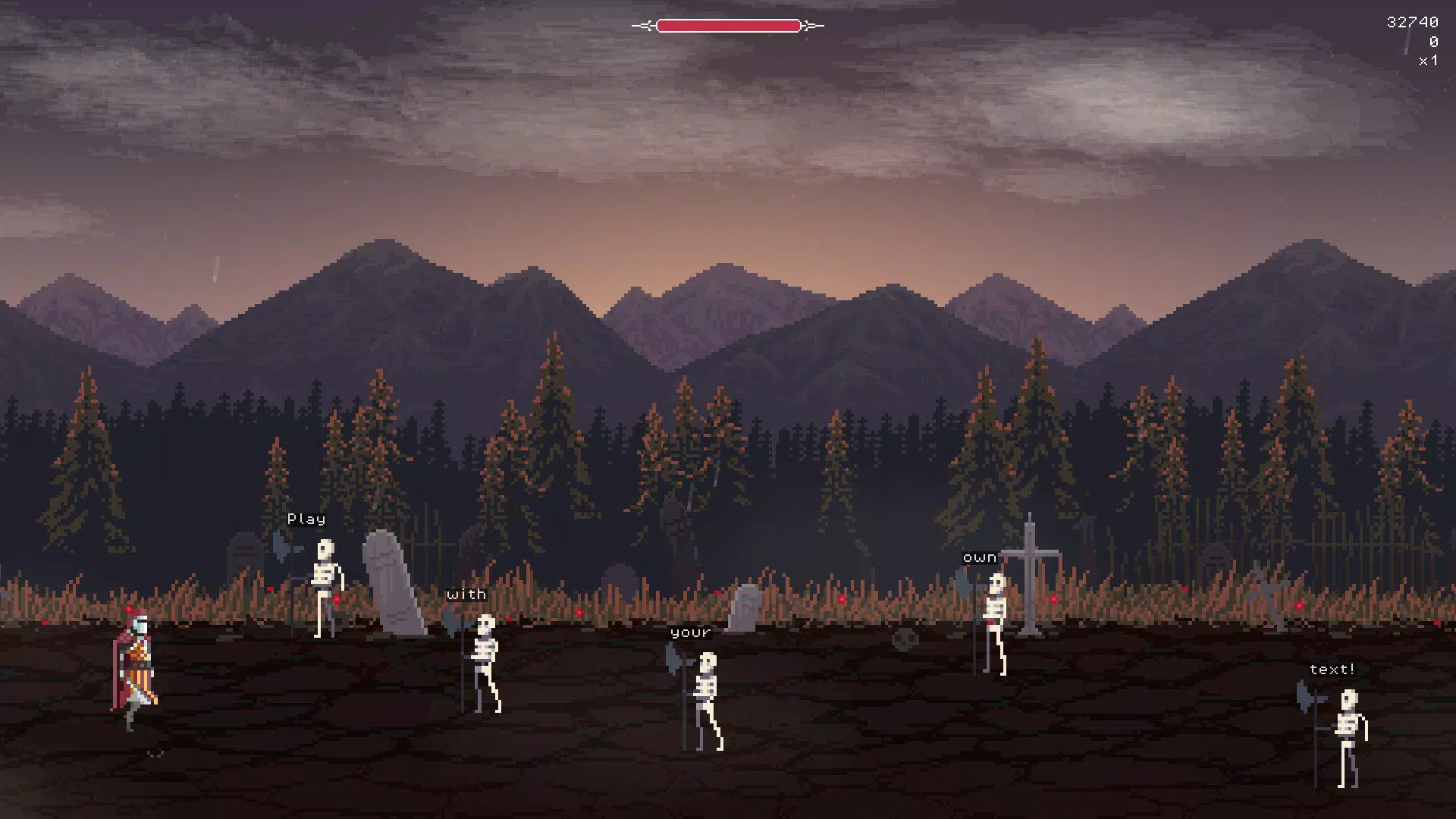
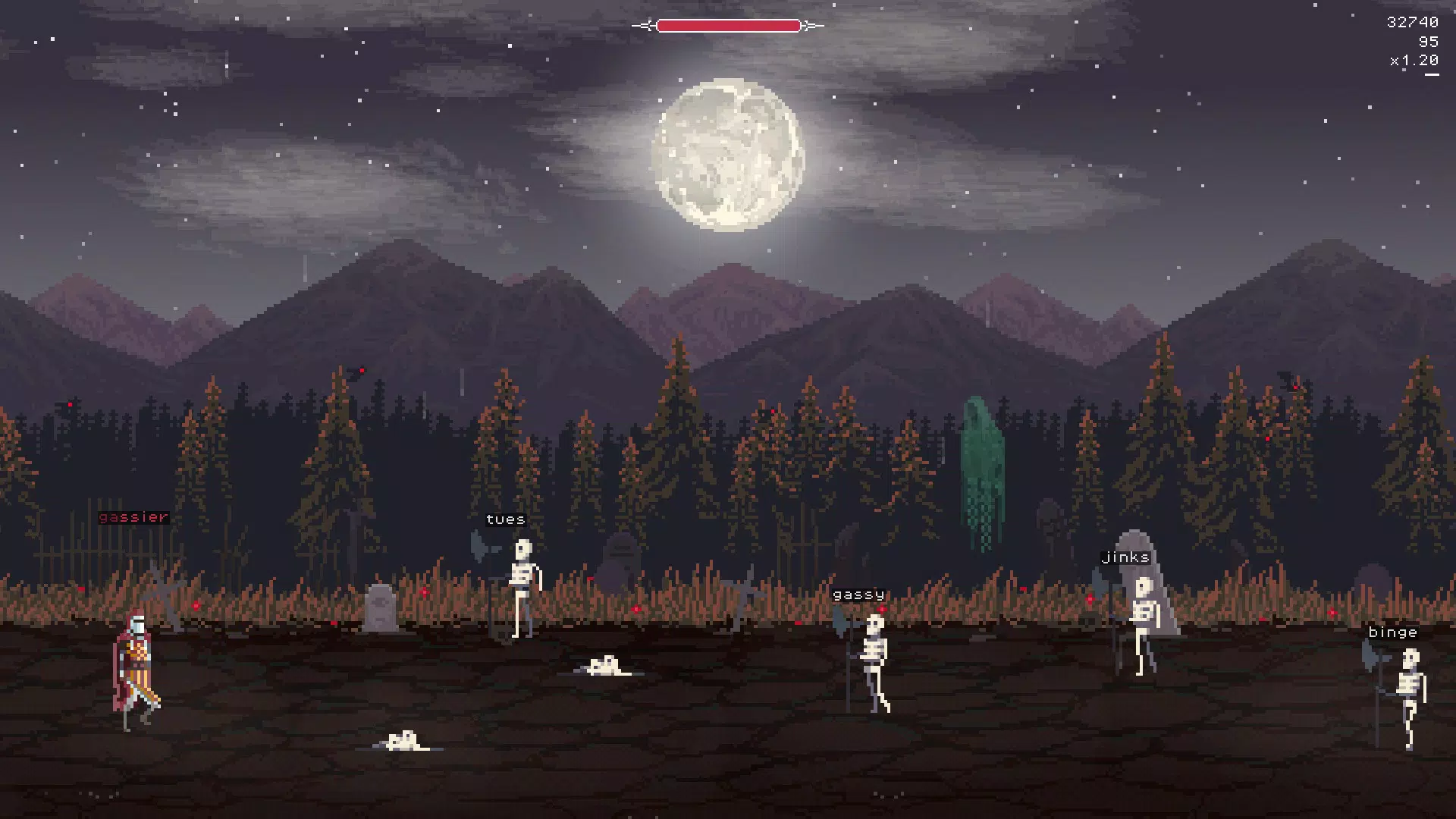
Type Knight is a unique mobile game that merges the precision of typing with the tension of a supernatural survival experience. Set in a haunted cemetery, the game challenges players to defend themselves against waves of skeletons by typing accurately and quickly. Each session transforms into an atmospheric battle where the environment reacts dynamically to gameplay, heightening immersion. The core purpose of the app is to offer a distinctive blend of entertainment and skill-building, turning the mundane act of typing into an engaging, story-driven challenge.
It is designed for players who enjoy fast-paced games with a creative twist, particularly those interested in typing practice disguised as gameplay. The target audience includes students, professionals seeking to improve typing speed, and fans of indie games with strong aesthetic and audio design. While the developer did not provide additional background, the game’s distinct visual and auditory identity suggests a focused creative effort. Real-world use cases include using the app as a fun alternative to traditional typing drills or as a stress-relief activity that combines mental focus with adrenaline.
Type Knight stands out in the mobile gaming ecosystem by combining productivity tools with narrative-driven gameplay. Its integration of atmospheric elements like weather and music elevates it beyond standard arcade experiences, positioning it as a niche yet compelling entry in the mobile game space.
Key Features & Functionality
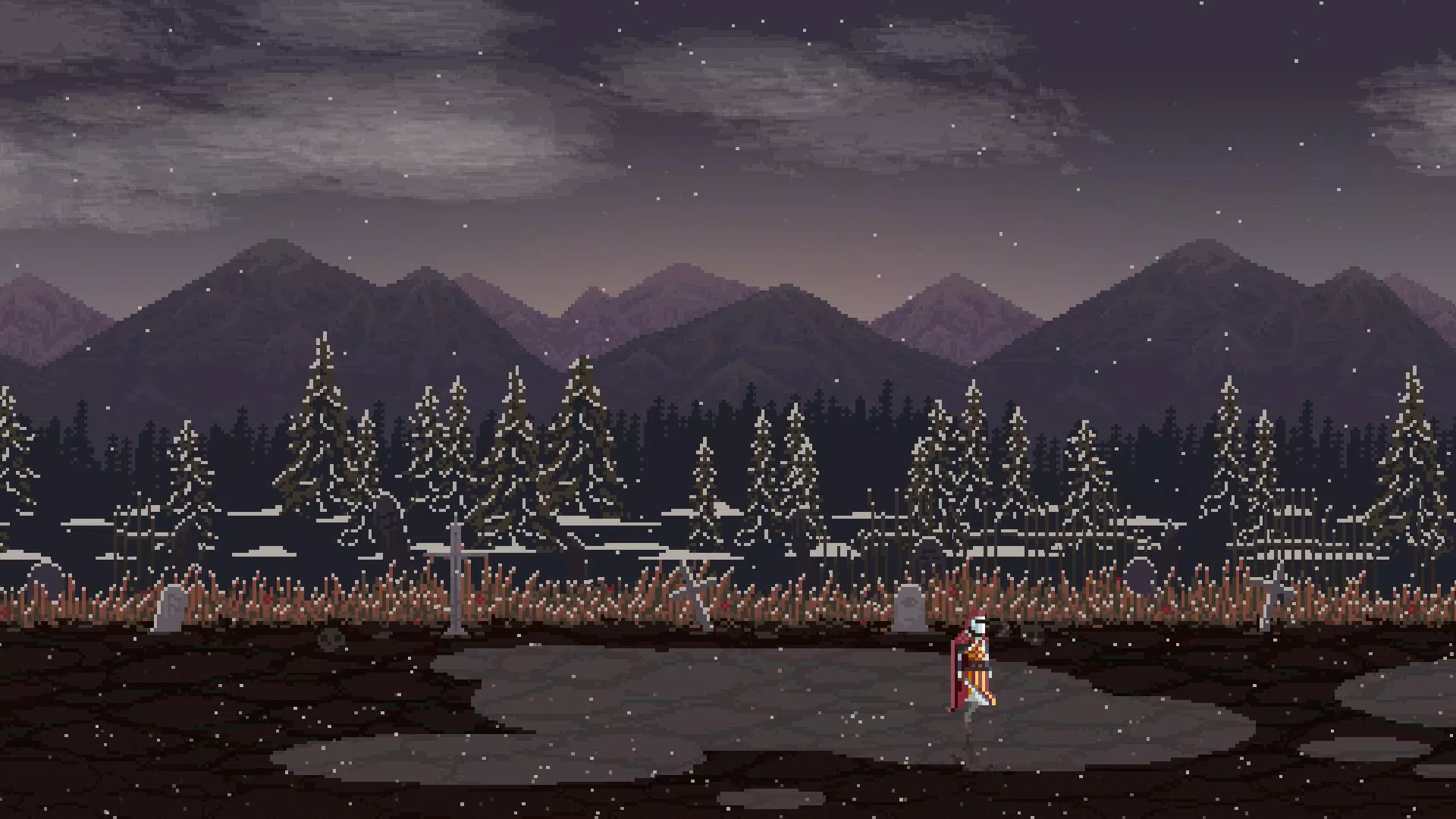
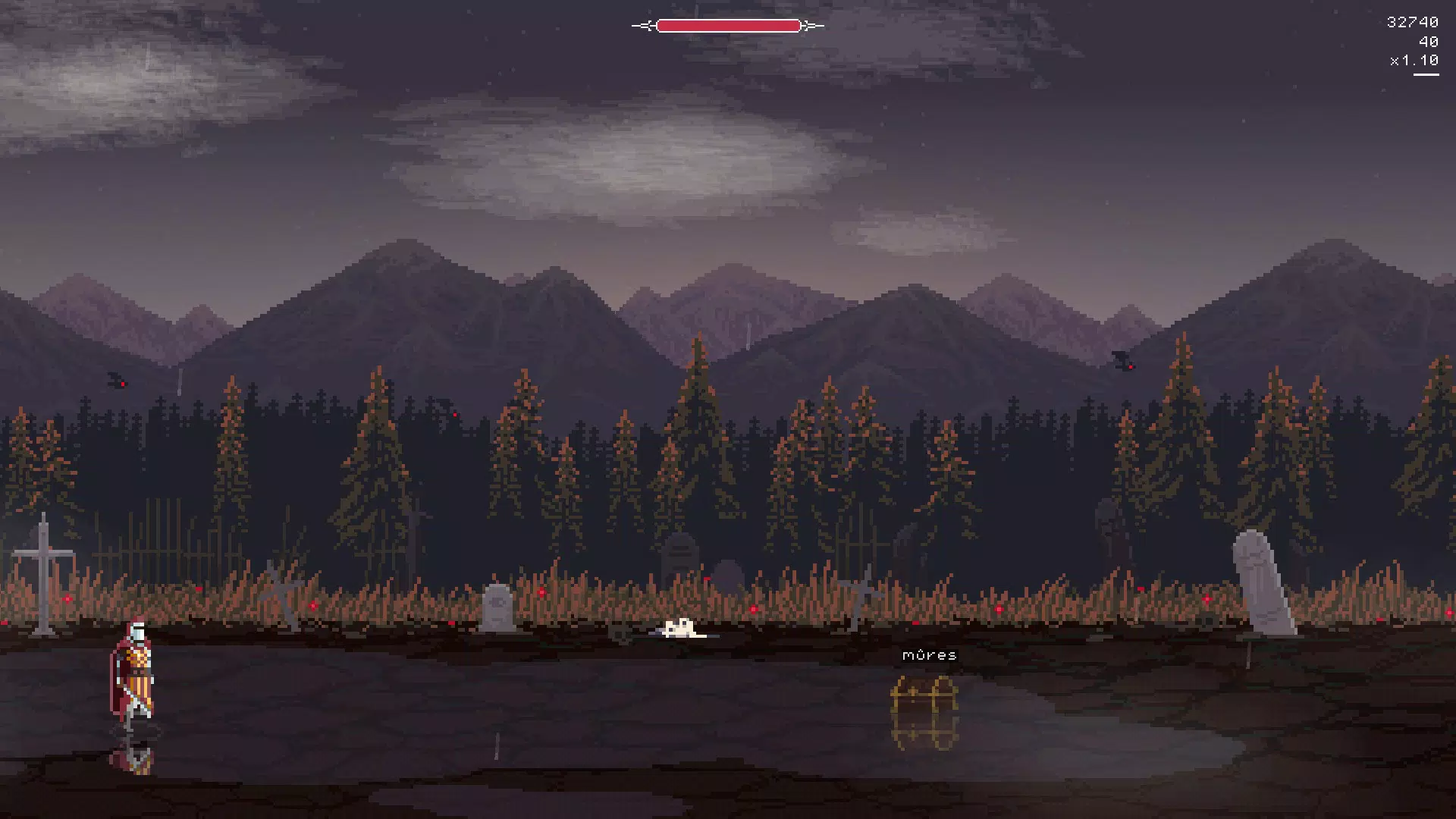
- Dynamic Weather System: The game features real-time weather changes including fog, wind, rain, and lightning. These elements affect visibility and gameplay intensity, requiring players to adapt their typing strategy mid-battle. For example, heavy rain may obscure enemy patterns, demanding sharper focus and faster response times.
- Original Soundtrack: Six handcrafted musical tracks are composed specifically for the game. Each piece evolves with the gameplay, deepening the mood during intense sequences and calming during lulls. This audio layer enhances immersion, making the cemetery feel alive and unpredictable.
- Custom Game Modes: Players can import their own text, select character sets, and choose between classic typing mode or the more challenging "text flow" mode. This allows for personalized difficulty levels—ideal for educators creating custom drills or players testing their limits with poetry or technical documents.
- Stat Tracking: Comprehensive performance metrics are recorded, including words per minute, accuracy percentage, and session duration. Visual graphs display progress over time, enabling users to monitor improvement and set personal goals.
- Intense Typing Battles: The core gameplay revolves around surviving waves of enemies by typing correct sequences. Missed characters result in enemy advances, creating a direct link between typing skill and survival. This mechanic turns every session into a high-stakes test of reflexes and concentration.
These features work together to deliver a game that is both challenging and rewarding. Whether used for casual entertainment or skill development, Type Knight provides a structured yet flexible experience tailored to individual play styles.
Interface, UX & Performance
The game’s interface is minimalist yet effective, prioritizing clarity during high-pressure moments. The main screen displays the incoming text, enemy positions, and real-time stats in a clean layout that avoids visual clutter. Navigation is intuitive, with on-screen controls for starting, pausing, and accessing settings. The visual style leans into gothic aesthetics—dark tones, subtle animations, and stylized skeletons—enhancing the eerie atmosphere without overwhelming the player.
Although the developer did not list formal performance metrics, the app’s small file size of 18.4 MB suggests efficient optimization. The game appears to run smoothly on a range of Android devices, with responsive touch input and consistent frame rates during gameplay. Stability is maintained across sessions, with no reported crashes or freezes. The UI adapts well to different screen sizes, ensuring accessibility on both smartphones and tablets.
Players can expect a seamless experience in terms of responsiveness and load times. The audio and visual elements are synchronized effectively, contributing to a cohesive gameplay loop. Overall, the UX design supports sustained engagement, making it easy for users to jump in and play without a steep learning curve.
Platform Compatibility & Technical Requirements
Type Knight is available exclusively on Android. The current version is 1.2.3, with a file size of 18.4 MB, indicating a lightweight and efficient application. The developer did not specify minimum OS requirements or device compatibility details, so users should ensure their device supports Android applications and has sufficient storage space.
Given the app’s size and the absence of complex graphics or streaming assets, it is likely compatible with most modern Android smartphones and tablets. However, without official system requirements, users are advised to check device specifications before installation. The app is free to download and install, making it accessible to a broad audience.
Pros and Cons
Pros
- Engaging blend of typing practice and atmospheric gameplay
- Dynamic weather system enhances immersion and unpredictability
- Original soundtrack adds emotional depth and atmosphere
- Highly customizable game modes for personalized challenges
- Comprehensive stat tracking to monitor progress over time
- Lightweight app size suitable for low-storage devices
Cons
- Platform limited to Android; no iOS availability mentioned
- Developer did not disclose minimum OS or device compatibility
- Custom content import requires manual text preparation
- Gameplay may become repetitive over extended use without new content updates
- Free model with no in-app purchases or ads mentioned, but potential monetization paths are unclear
FAQ
Is Type Knight safe to download and install?
Yes, the app is free and available through official Android channels. It does not require excessive permissions, and the developer has not indicated any known security risks.
Can I play Type Knight offline?
Yes, the game does not require an internet connection to function. All content is stored locally, making it ideal for use without connectivity.
Does Type Knight support custom text input?
Yes, players can import and save their own text for use in custom game modes, allowing for personalized typing challenges.
How often is Type Knight updated?
The last update was released on October 24, 2019. The developer has not provided information on future update schedules.
Is Type Knight suitable for children?
The game contains dark themes and supernatural imagery. While it is not explicitly violent, parents should consider the atmosphere and content suitability for younger audiences.
Final Thoughts + CTA
Type Knight offers a refreshing take on mobile gaming by transforming typing into a gripping, story-driven adventure. Its atmospheric design, dynamic weather, and original soundtrack create an immersive experience that stands out in a crowded app market. The ability to customize gameplay and track performance adds educational value, making it useful for both casual players and those aiming to improve their typing skills.
While the app’s Android-only availability and lack of recent updates may limit its reach, its core mechanics remain solid and engaging. For users seeking a unique blend of fun, challenge, and self-improvement, Type Knight delivers a compelling package. The lightweight size and free access further enhance its appeal.
Download Type Knight now and experience a typing game like no other—where every keystroke could mean survival.


